Home Crypto Wallets How To Disconnect And Uninstall An OKX Wallet
Crypto Wallets

How To Disconnect And Uninstall An OKX Wallet

Disconnecting and uninstalling an OKX wallet step-by-step.

Step 1.

Click the menu option which is the 9 dots arranged as a square in the top left corner.
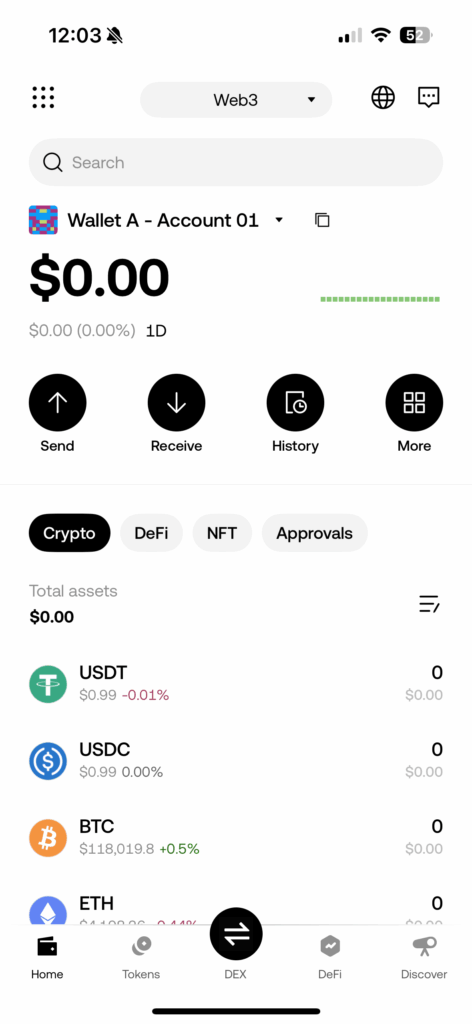
OKX crypto wallet

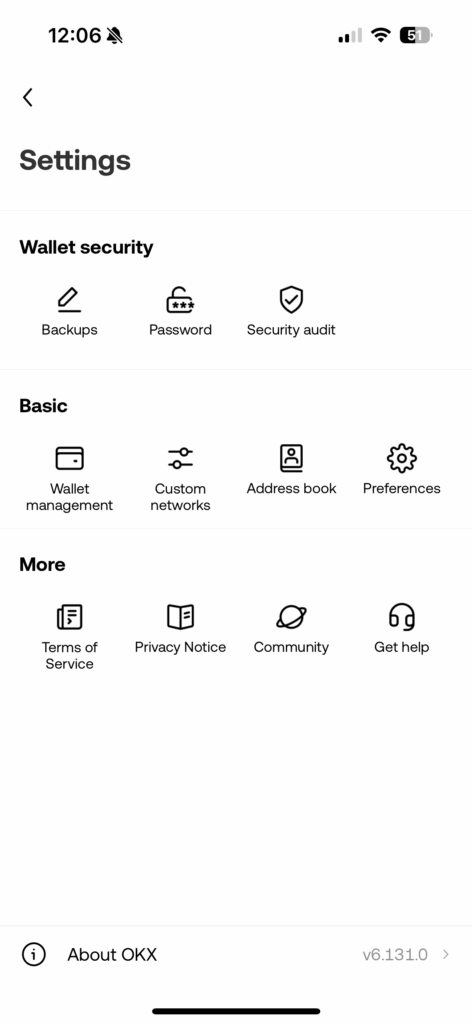
Step 2.

Select “Backups”.

OKX crypto wallet menu

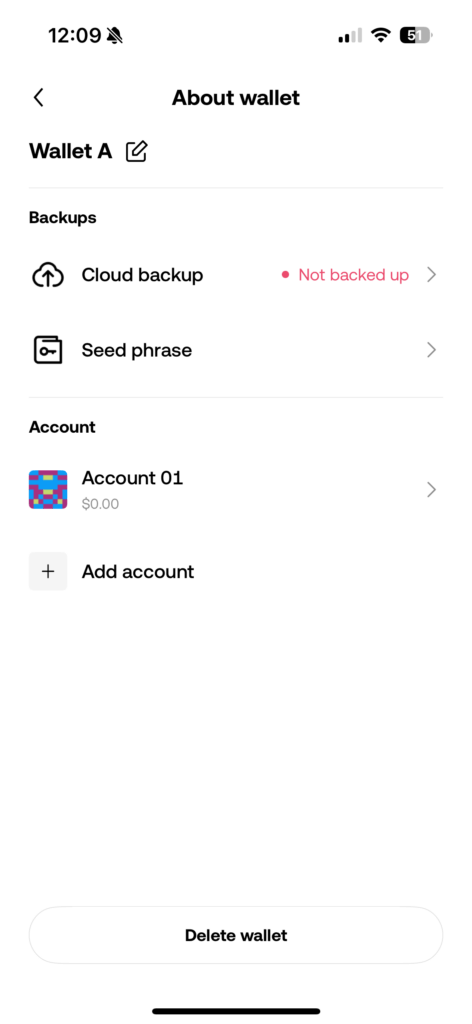
Step 3.

Click on the wallet you wish to ‘delete’.  This does not mean the wallet will be permanently deleted, it is simply disconnecting the wallet and taking it offline which is more secure than keeping wallets online as online wallet are much easier to hack. As long as you know your seed phrase you will be able to access your wallet again.
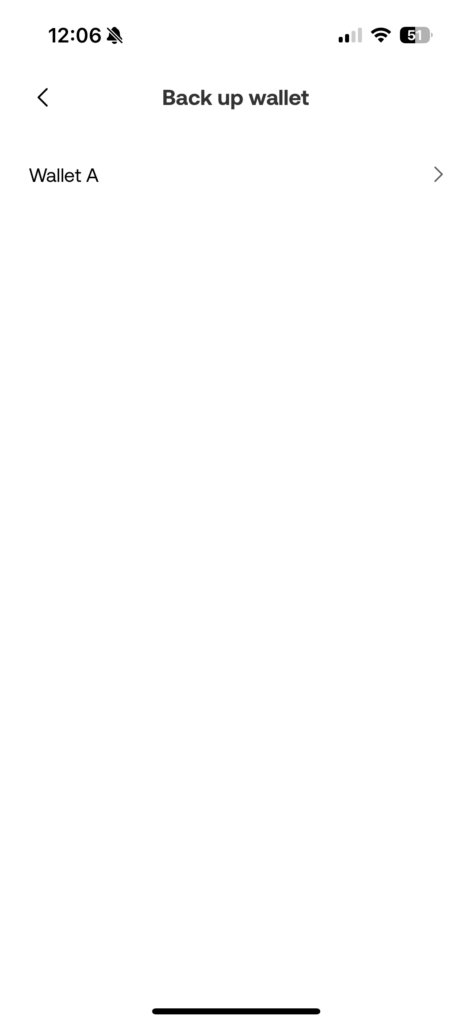
OKX crypto wallet deletion

Step 4.

Select “Delete wallet”

Deleting an OKX crypto wallet

Step 5.

Confirm that you wish to delete your wallet by tapping “Delete wallet”. You should then be taken back to the homepage and your wallet will now be offline and removed from your device.
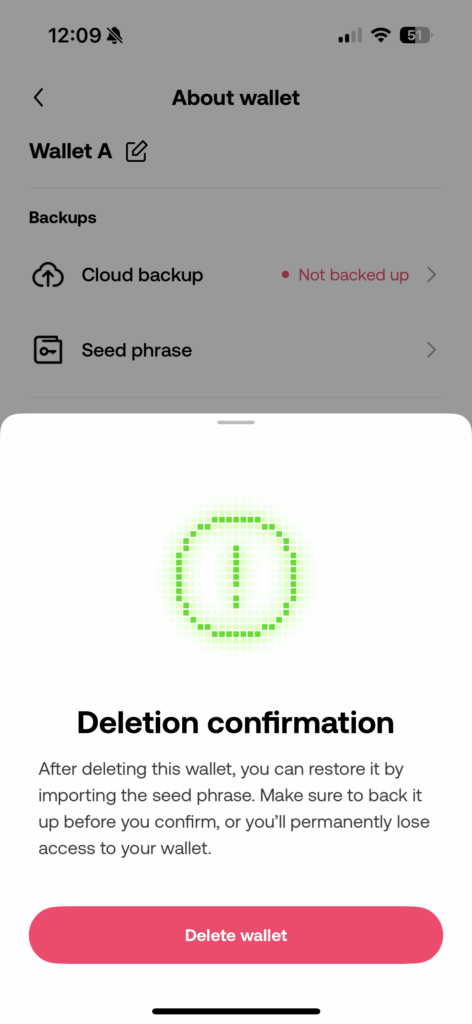
Deleting an OKX crypto wallet

Step 6.

Exit the app and hold down over the OKX app. Select “Remove App” or “Uninstall” depending on whether you have an IOS or android device.
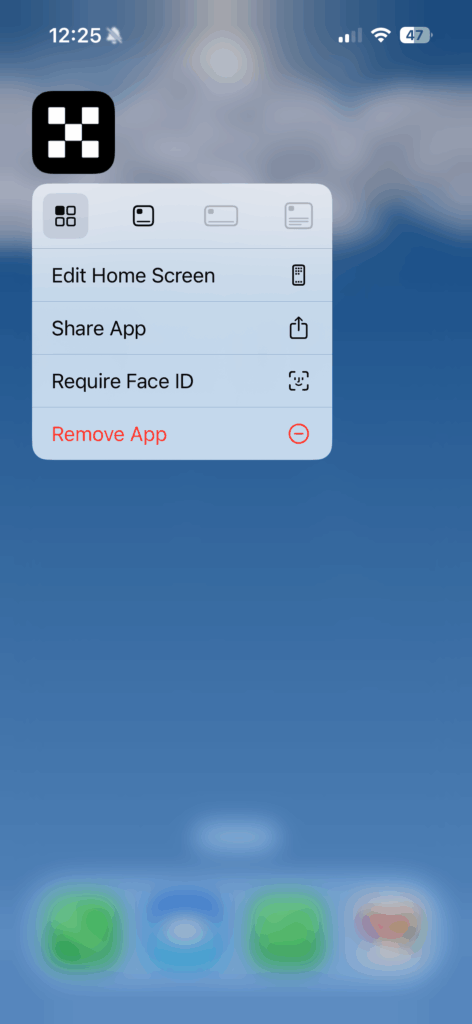

Uninstalling the OKX crypto wallet app


Leave a comment

Leave a Reply

Your email address will not be published. Required fields are marked *

Related Articles

Crypto Wallets

Crypto Wallets Guide

What are crypto wallets? Crypto wallets can be thought of in a...

Creating a new Xverse wallet Xverse home page
Crypto Wallets

Crypto Hot Wallets

Xverse wallet Xverse wallets are a type of wallet that allows you...

Crypto Wallets

How To Set Up An OKX Wallet

How to set up an OKX wallet step by step. Important note:...

Crypto Wallets

How To Reconnect An Existing OKX Wallet

Installing and reconnecting an existing OKX wallet step-by-step. Step 1. Download the...