

Installing and reconnecting an existing OKX wallet step-by-step.
Step 1.
Download the official OKX app onto your device.

Step 2.
Open the app and switch from the exchange to the wallet by tapping “Simple” at the top of the screen and changing this to “Web3”.


Step 3.
Read the pop up and confirm that you understand that the wallet and exchange have separate terms and conditions.

Step 4.
You should now have been taken to the wallet and the top of the screen will say “Web3”. Select import wallet to connect your existing wallet.

Step 5.
As the set-up guide is based on a manual seed phrase back up, this guide will also follow a manual backup. Select “Seed phrase or private key”.
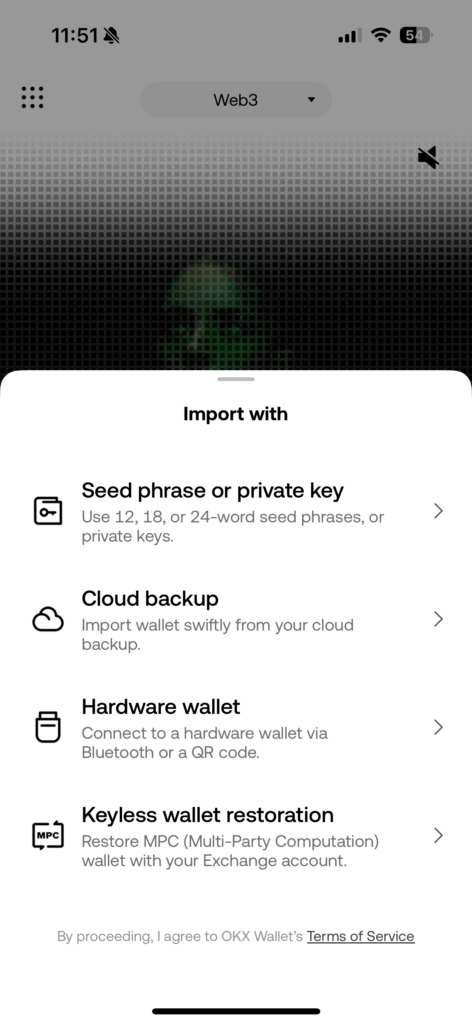
Step 6.
Read through the security tips which will help you keep your assets secure and select “OK”.

Step 7.
Enter your seed phrase in order and make sure that you leave a space between each word. Then select “Confirm” and decide if you wish to allow the OKX app to use biometrics such as face ID.

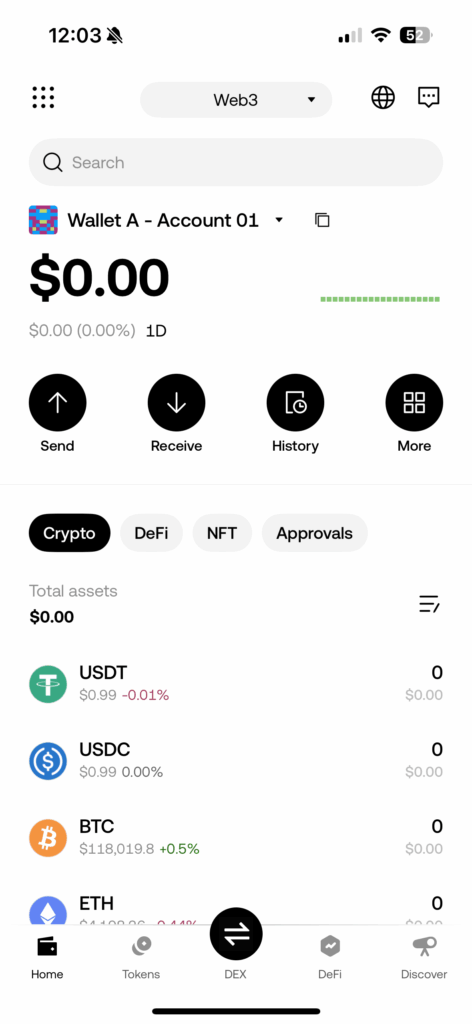
You have now successfully restored your OKX wallet!



Leave a comment