

Setting up a Leather wallet step-by-step.
Step 1.
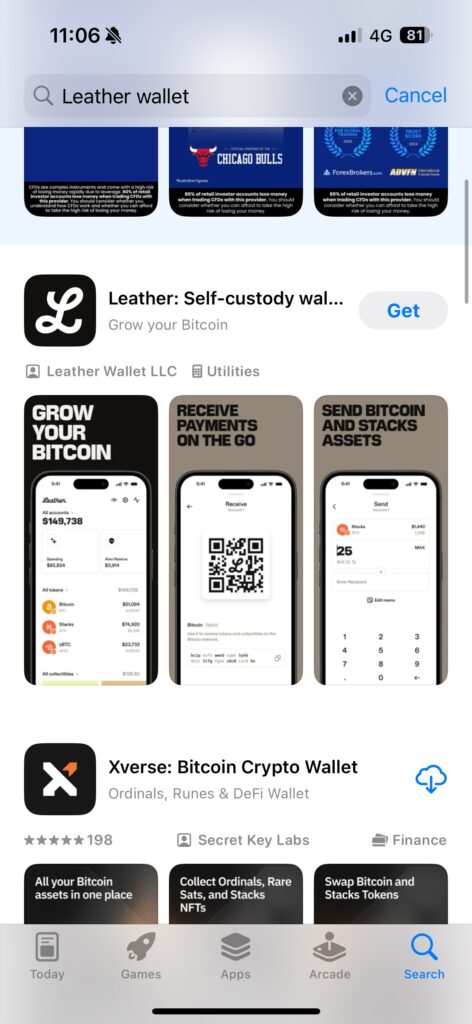
Go to your app store and search for Leather. Download the legitimate leather app.
Step 2.
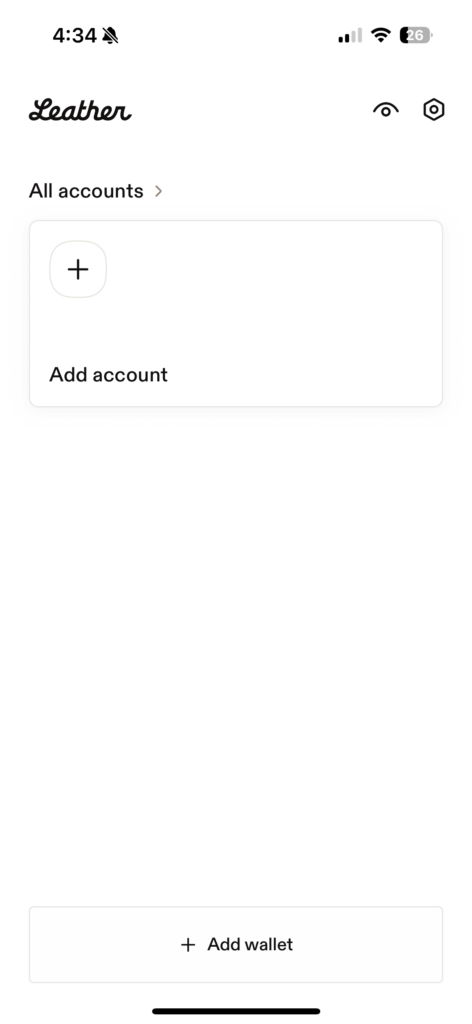
Open the app and click “Add wallet”.
Step 3.
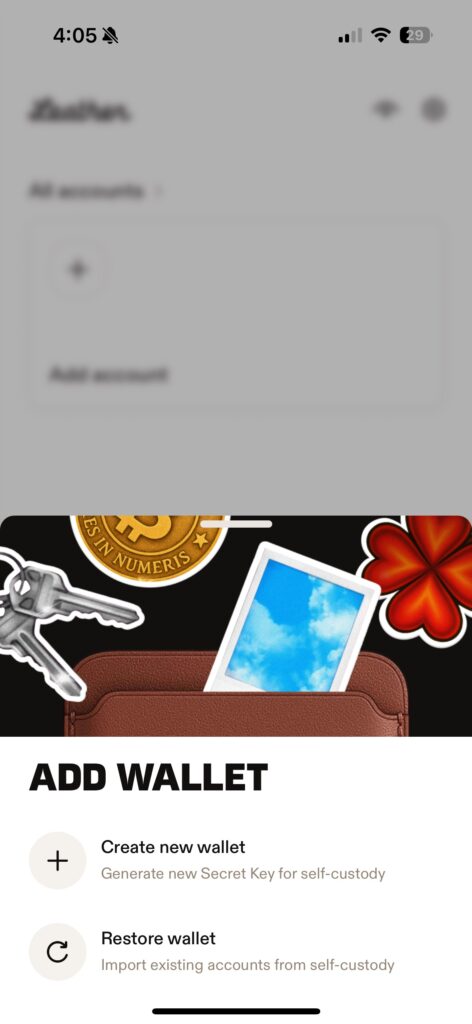
Select “Create new wallet”.
Step 4.
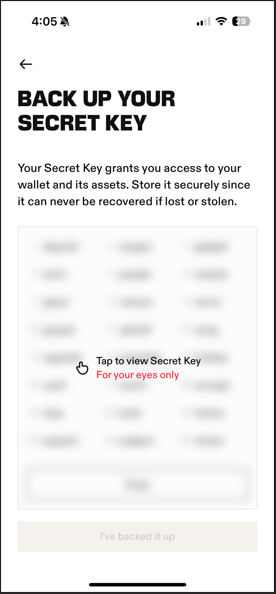
Tap the screen which says, “Tap to view Secret Key”.
Step 5.
ACCURATELY note down your seed phrase in order. Ensure that this is somewhere safe such as written on pen and paper in a place that it won’t get lost as there is no way to recover or log into a wallet without this. It is best not to take a screenshot as this is stored on your device or cloud which can be hacked. Once you have noted your seed phrase click “I’ve backed it up” at the bottom of the screen, this will only be possible when your seed phrase is visible.
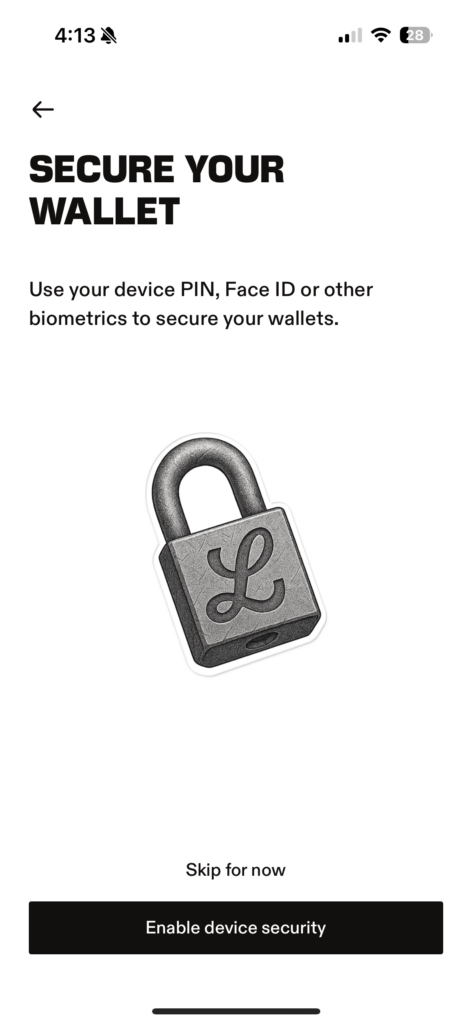
Step 6.
Choose if you wish to set up device security. Remember that if anyone other than you can gain access to your device through your pin, face ID or fingerprint recognition then they can gain access to your crypto. Also consider if this can be gained without your knowledge for example when asleep. Congratulations! You have set up a Leather wallet. As the risk of malware and hacking is always present when your wallet is connected and stored on your device, I always recommend disconnecting your Leather wallet (logging out) and deleting the app when not directly in use. Even if you don’t wish to store your wallet offline it is always good practice to test disconnecting and reconnecting your wallet before buying/transferring crypto to make sure that you have noted your seed phrase correctly and know how to log in should something happen to your device.


Leave a comment